IPTV, reimagined

Your IPTV,in cinema mode.

Most IPTV apps feel like a catalog. Fluxer turns your M3U and Xtream sources into a premium streaming experience — native to iPhone, iPad, Mac and Apple TV.

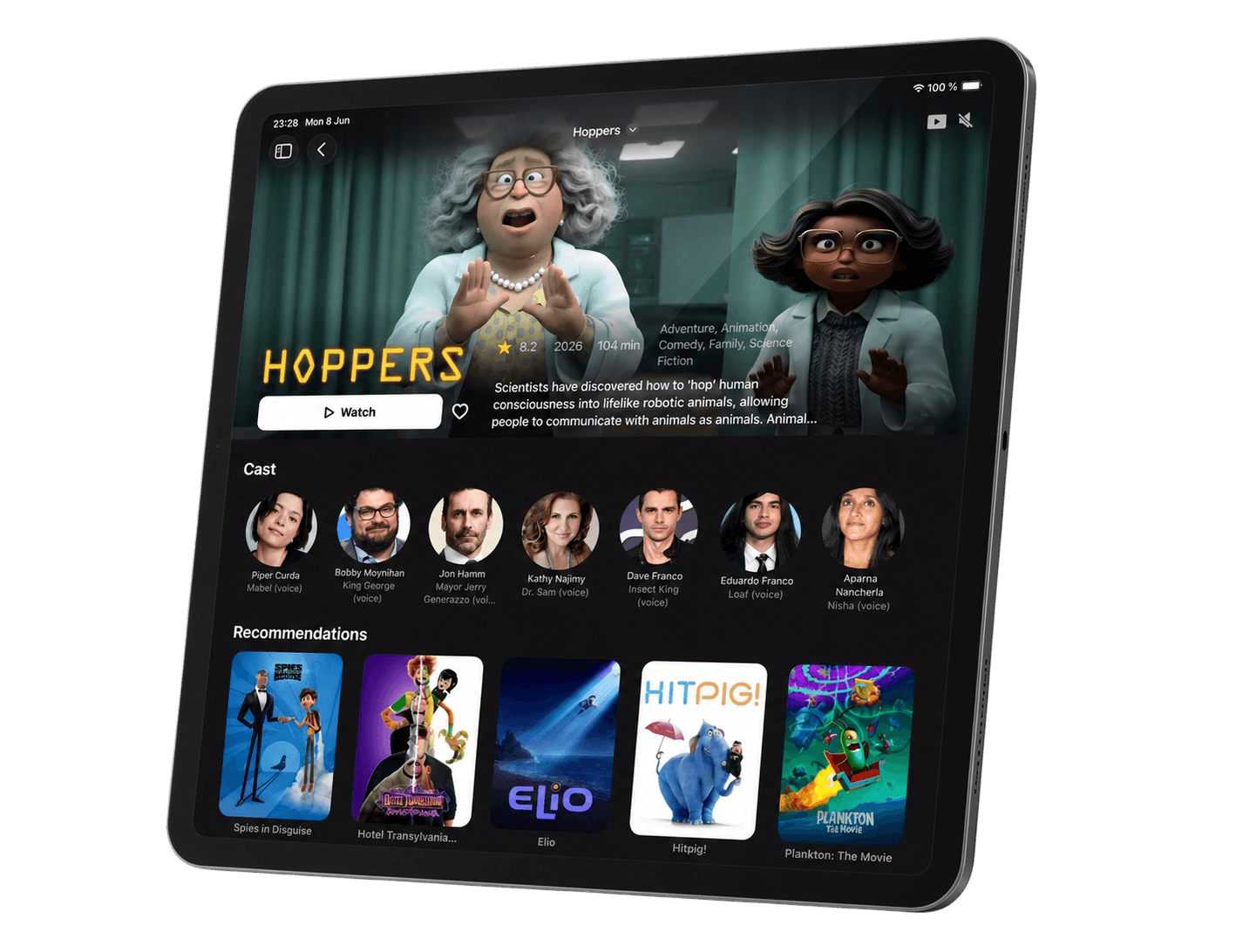
Fluxer on iPad, showing a film detail page with cast and recommendations

Most IPTV apps hand you a catalog: endless lists, tiny logos, settings everywhere. Fluxer hands you a show.

Catalog vs. experience

The polish of the big streaming services. With your sources.

▸FR | CINEMA 1 FHD

▸FR | CINEMA 2 HD

▸FR | SPORT 3 HD

▸UK | NEWS 24

▸VOD | MOVIES A–Z (4 812)

▸SERIES | ALL (12 390)

A typical IPTV app

  • Endless lists of channel names
  • Provider categories, dumped as-is
  • A file browser with a play button
  • One stretched interface for every device
Fluxer

  • Posters, backdrops and hero artwork
  • Rows that make sense: trending, top ten, continue watching
  • Detail pages with cast, ratings and recommendations
  • A native interface for each Apple screen

The tour

Browse like it's prime time.

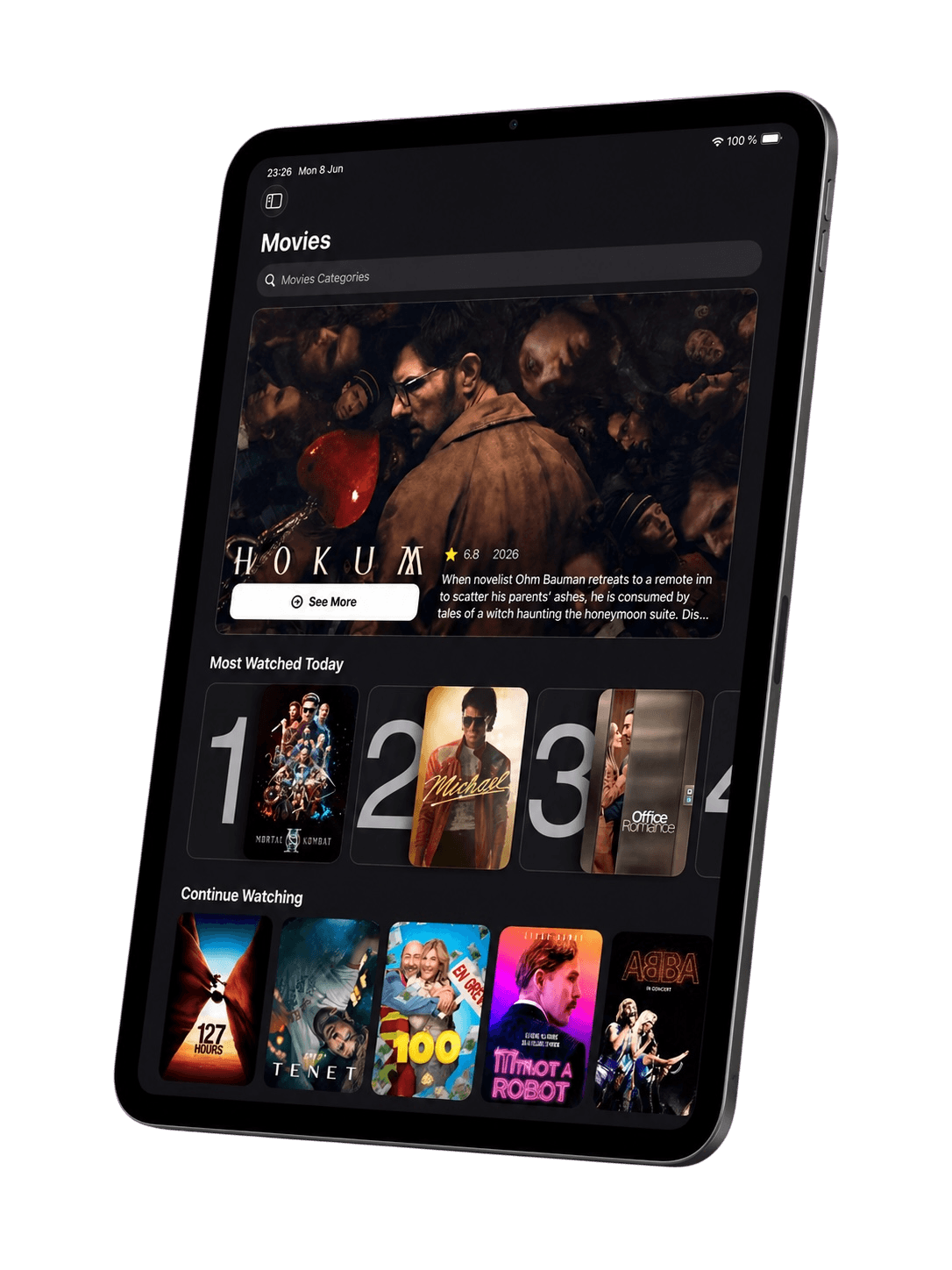
Trending rows, a daily top ten, hero artwork. Your playlists, finally presented the way great streaming apps present theirs.

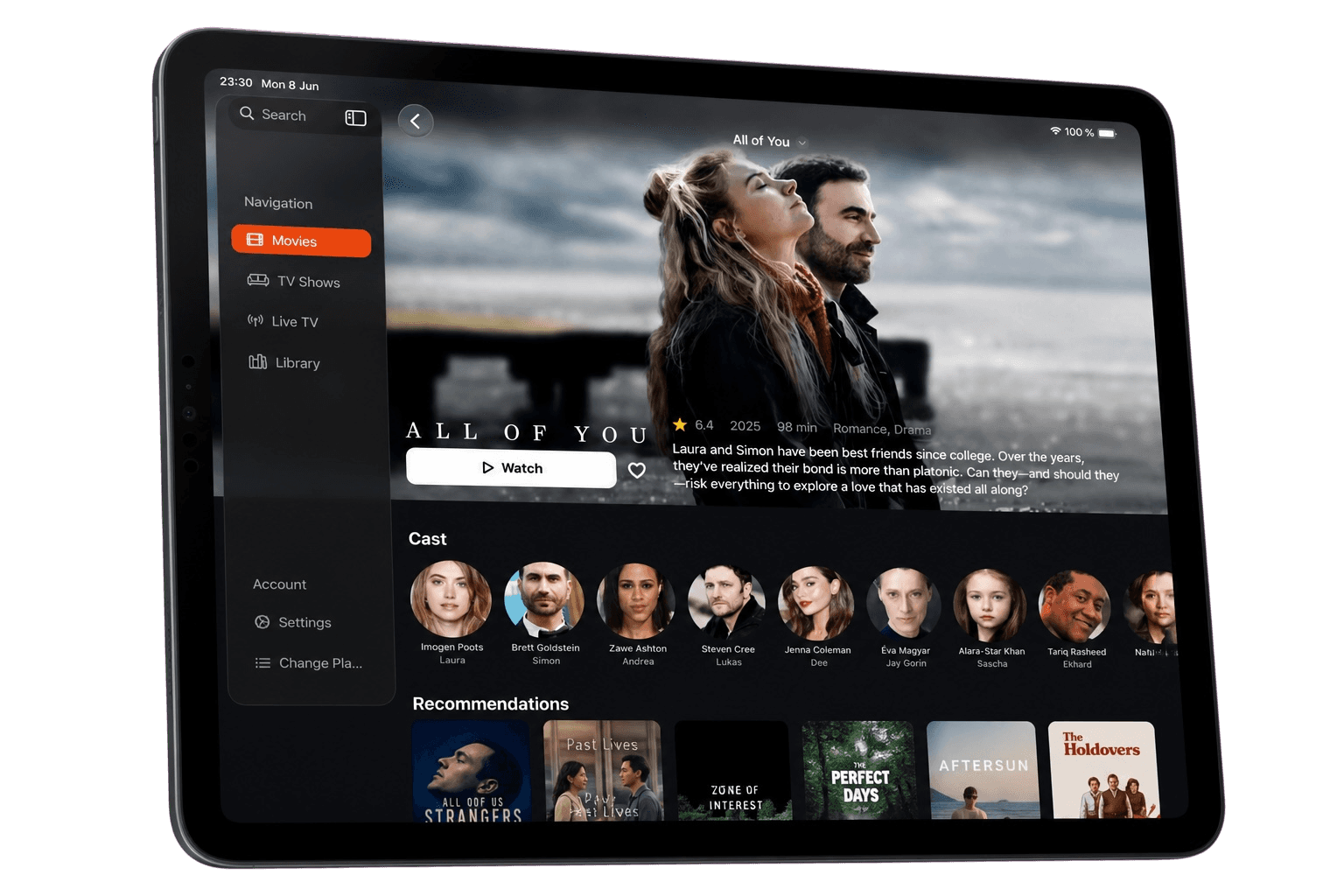
Fluxer movie library on iPad with featured artwork and a top ten rowFluxer detail page with cast and recommendations

Designed the Apple way

It feels like it came with your device.

Fluxer follows Apple's Human Interface Guidelines — translucent glass, fluid motion, SF Symbols and system gestures. No web view, no port: every screen is built in SwiftUI.

Glass, done right

Navigation floats on translucent material, so the artwork always stays in view.

By the guidelines

Layouts, typography and controls follow Apple's Human Interface Guidelines on every platform.

Truly native

The focus engine on Apple TV, a sidebar on iPad and Mac, one-handed on iPhone.

Everything in its place

Powerful underneath. Quiet on the surface.

M3U & Xtream

Paste a playlist URL or your Xtream credentials. Fluxer sorts channels, movies and series for you.

Live TV

Channels grouped by category, with a player tuned for fast zapping.

Ratings that matter

IMDb, Rotten Tomatoes, Metacritic and TMDB scores, right on the detail page.

Subtitles on demand

Search and load subtitles from OpenSubtitles without leaving playback.

Continuity

Favorites, history and progress travel with your account from one screen to the next.

Native everywhere

Built in SwiftUI for iPhone, iPad, Mac and Apple TV. Fast, fluid, and at home on each.

Apple TV

Sign in from the couch. In one scan.

No more typing passwords with a remote. Scan the code on your TV, confirm on your phone, and your library appears.

  1. 1Open Fluxer on your Apple TV.
  2. 2Scan the QR code, or visit getfluxer.app/activate.
  3. 3Confirm with your account. That's it.
Activate a TV
Fluxer

Sign in to Fluxer

Scan with your phone or enter the code at getfluxer.app/activate

K7QM4XTP
Apple TV connected

One library. Four screens.

  • iPhone
  • iPad
  • Mac
  • Apple TV

Press play.

Fluxer is in private beta. Tell us which screen you will watch on first.

Request early access